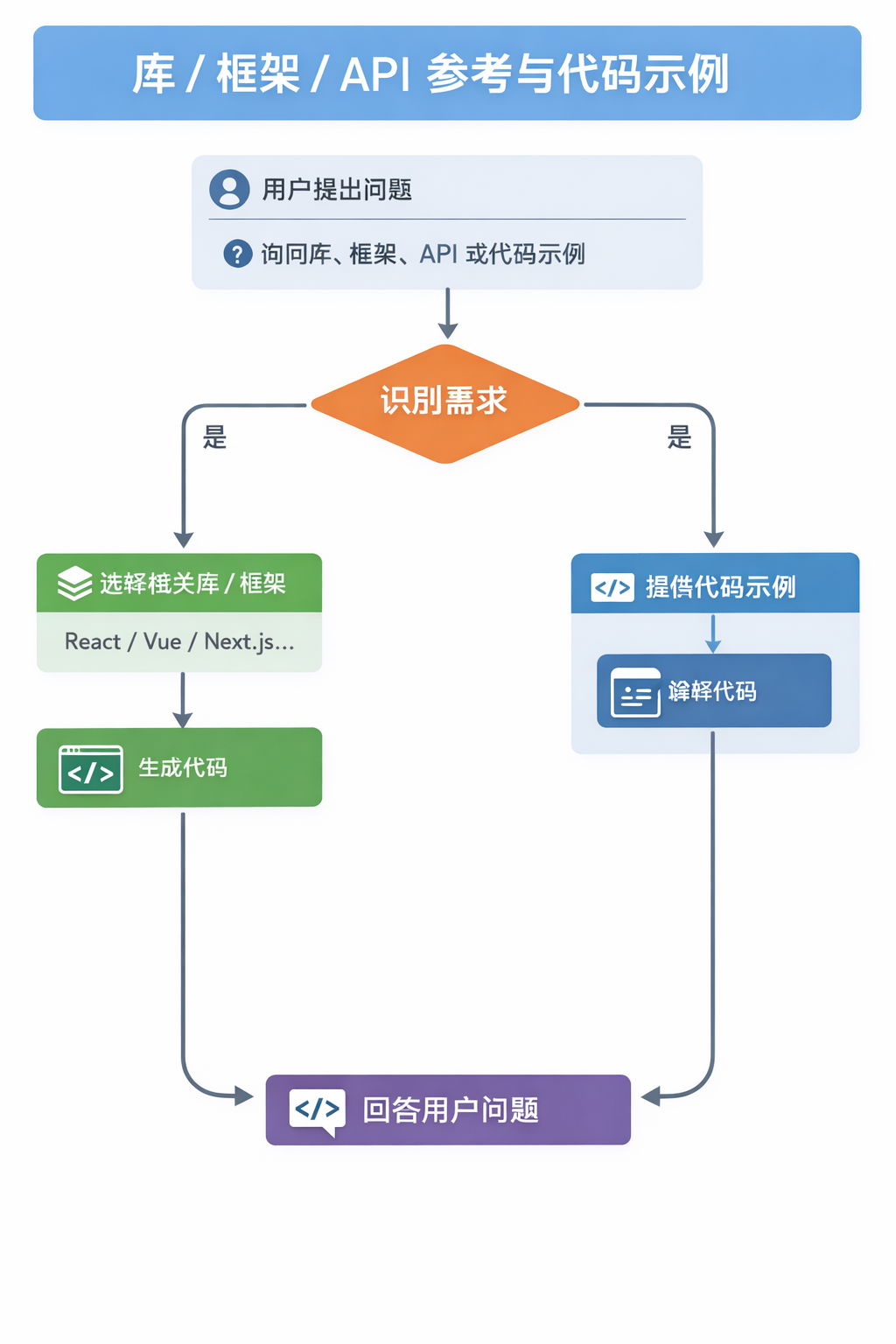
This skill should be used when the user asks about libraries, frameworks, API references, or needs code examples. Activates for setup questions, code generation involving libraries, or mentions of specific frameworks like React, Vue, Next.js, Prisma, Supabase, etc.
- 📁 agents/
- 📁 references/
- 📄 SKILL.md
在使用 MCP 做前端 JavaScript 逆向时使用,适用于签名链路定位、页面观察取证、本地补环境复现、VMP 类插桩分析、AST 去混淆与证据化输出。
Design banners for social media, ads, website heroes, creative assets, and print. Multiple art direction options with AI-generated visuals. Actions: design, create, generate banner. Platforms: Facebook, Twitter/X, LinkedIn, YouTube, Instagram, Google Display, website hero, print. Styles: minimalist, gradient, bold typography, photo-based, illustrated, geometric, retro, glassmorphism, 3D, neon, duotone, editorial, collage. Uses ui-ux-pro-max, frontend-design, ai-artist, ai-multimodal skills.
- 📁 rules/
- 📄 AGENTS.md
- 📄 metadata.json
- 📄 README.md
React composition patterns that scale. Use when refactoring components with boolean prop proliferation, building flexible component libraries, or designing reusable APIs. Triggers on tasks involving compound components, render props, context providers, or component architecture. Includes React 19 API changes.
- 📁 assets/
- 📁 references/
- 📄 SKILL.md
Use when building or refactoring functional React/Vite/Tailwind UI pages, templates, or component libraries that need consistent structure, tokenized styling, accessibility checks, and performance-ready patterns.
Guides stable API and interface design. Use when designing APIs, module boundaries, or any public interface. Use when creating REST or GraphQL endpoints, defining type contracts between modules, or establishing boundaries between frontend and backend.
- 📁 rules/
- 📄 AGENTS.md
- 📄 README.md
- 📄 SKILL.md
React and Next.js performance optimization guidelines from Vercel Engineering. This skill should be used when writing, reviewing, or refactoring React/Next.js code to ensure optimal performance patterns. Triggers on tasks involving React components, Next.js pages, data fetching, bundle optimization, or performance improvements.
- 📁 references/
- 📁 templates/
- 📁 workflows/
- 📄 SKILL.md
Build software products autonomously via GSD headless mode. Handles the full
Jiraチケットの要件とConfluenceの関連ドキュメントを基に、Frontend/Backend/Infrastructureに分割した実装計画を策定するプランニングスキル。Jiraチケット情報とConfluence検索結果が前段で取得済みであることを前提とし、構造化された実装計画を出力する。「プランニング」「実装計画策定」「タスク分割」などの文脈で使用。
Extract the full design language from any website URL. Produces 8 output files including AI-optimized markdown, visual HTML preview, Tailwind config, React theme, shadcn/ui theme, Figma variables, W3C design tokens, and CSS variables. Also runs WCAG accessibility scoring. Use when user says 'extract design', 'get design system', 'design language', 'design tokens', 'what colors/fonts does this site use', or '/extract-design'.
Use when building App Store screenshot pages, generating exportable marketing screenshots for iOS apps, or creating programmatic screenshot generators with Next.js. Triggers on app store, screenshots, marketing assets, html-to-image, phone mockup.
Build multi-platform chat bots with Chat SDK (`chat` npm package). Use when developers want to build a Slack, Teams, Google Chat, Discord, Telegram, GitHub, Linear, or WhatsApp bot, handle mentions, direct messages, subscribed threads, reactions, slash commands, cards, modals, files, or AI streaming, set up webhook routes or multi-adapter bots, send rich cards or streamed AI responses to chat platforms, or build a custom adapter or state adapter.


